






In today’s competitive digital world, your website’s design plays a crucial role in determining its success. While aesthetics are important, the way your site is structured and designed can either boost or destroy your SEO efforts. Small design mistakes, often overlooked, can quietly kill your website’s ranking in search engine results.
In this article, we’ll uncover the most common web design mistakes that harm SEO and how to fix them to improve your site’s performance.
Complex and Inaccessible Design
One of the biggest issues with website designs is excessive complexity. Complex designs often hinder users from easily accessing the information they need. In fact, when users are searching for information, they expect to find it quickly and without any unnecessary hassle. A cluttered design with excessive elements may confuse users, making it difficult for them to find what they’re looking for. This can lead to an increase in bounce rate, which signals a negative experience to search engines. Additionally, the worse the user experience, the lower the chances of users returning, ultimately affecting SEO rankings.
Moreover, a complex design can significantly slow down page load speed. Websites that include heavy scripts, plugins, or too many graphic effects will take longer to load. This means users may leave the site before it finishes loading, and search engines, like Google, take page load time into account when ranking websites. A slow page speed is a key factor in SEO, and optimizing your site for faster load times can help improve both user experience and search rankings.
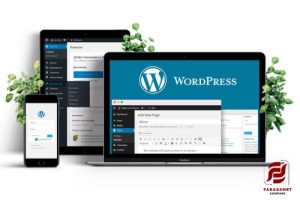
Lack of Responsive Design Principles
-
Increasing Mobile Usage: More than half of internet users access websites through mobile devices, making responsive design essential for a better user experience.
-
Mobile-First Indexing: Google uses Mobile First Indexing, meaning mobile-optimized sites rank better in search results.
-
Design Adjustments Across Screens: A responsive design automatically adapts to different screen sizes of devices (mobile, tablet, desktop).
-
Lower Bounce Rate: A responsive website ensures users have a better experience, reducing the likelihood of leaving the site.
-
Improved Page Load Speed: Responsive design can also help optimize page load speed, as pages adjust to the size of different devices.
-
Mobile Optimization is Crucial for Retention: Without mobile optimization, users will quickly leave the site, which leads to lower rankings in search results.
Read More! – Web Design Mistakes
Slow Page Load Speed
Page load speed is one of the most important factors when it comes to SEO rankings. Studies have shown that every additional second of delay can significantly reduce conversion rates and increase bounce rates. This is particularly true when websites contain heavy images, complex scripts, or unnecessary plugins. When users encounter a slow-loading page, they are likely to leave and visit competitor sites instead, reducing traffic and, ultimately, rankings in search results.
Search engines, like Google, clearly prioritize page load speed as an important ranking factor. If your website loads slowly, Google considers it to have a poor user experience and will rank it lower in search results. Optimizing images, proper caching, and reducing HTTP requests can help improve load speed. By decreasing page load time, users will have a better experience, and your website’s rankings in search results will improve.

Failure to Use Optimized URLs
One common mistake in web design is the use of long, complex URLs that lack relevant keywords. Search engines like Google use URLs to understand the content of a page, and if your URLs are unclear or irrelevant, it will be difficult for them to index your page properly. Additionally, complex URLs can confuse users and negatively affect the user experience.
For better SEO, URLs should be short, simple, and contain relevant keywords. Furthermore, using hyphens instead of underscores between words in URLs can help search engines better identify keywords. For example, instead of using www.example.com/page?id=12345, it’s better to use URLs like www.example.com/seo-tips. This helps search engines easily understand what the page is about, which benefits your SEO rankings.
Read More! – SEO-Friendly Design
Incorrect Use of Tags and Meta Data
Using optimized HTML tags like Title Tags, Heading Tags, and Meta Tags is crucial for SEO. Many websites either ignore or improperly use these tags. These tags are extremely important because they help search engines understand the content of your pages and rank them accordingly. Additionally, Title Tags and Meta Descriptions play a major role in enticing users to click on your page in search results, increasing your Click-Through Rate (CTR).
Without proper use of these tags and meta data, your site will have a lower chance of appearing in top search results. For instance, a page title that accurately summarizes the content and contains relevant keywords will be easier for search engines to index and rank. Likewise, Meta Descriptions should be compelling and concise to encourage users to click. Proper use of tags and meta data improves SEO rankings and increases CTR.

Improper Use of Images
Images are an important part of website design and can have a significant impact on user experience. However, improper use of images can harm your SEO. One common mistake is using large images without optimization. High-resolution images can drastically slow down page load times, negatively affecting user experience. Google and other search engines prioritize page speed, so unoptimized images can lead to lower rankings in search results.
Additionally, Alt Tags are often overlooked in many websites. These tags help search engines understand the content of your images. If your images lack Alt Tags or use inappropriate descriptions, search engines won’t be able to index them. This means you could lose valuable SEO opportunities. By using descriptive Alt Tags, search engines can better identify and index your images, potentially improving your SEO rankings.
Image Optimization Tips
-
Compress Images: Compress images before uploading them to your site to reduce their file size. This helps reduce page load time.
-
Choose the Right Format: Use formats like JPG for detailed images and PNG for images with transparent backgrounds.
-
Use Descriptive Alt Tags: Add Alt Tags to every image that describe its content. These tags should include relevant keywords for SEO.
-
Optimize Image Dimensions: Ensure that images are the correct size and don’t require resizing in the browser, which can affect page load speed.
By following these tips, you can improve your image optimization, indirectly boosting your SEO and increasing traffic.
Read More! – How Website Design Shapes Your SEO Rankings
Ignoring Content and Page Structure
Content has always been one of the most important factors for search engine rankings, but it needs to be presented in a structured and organized way for both users and search engines to understand. Without a clear content structure, it’s difficult for both search engines and users to navigate through the website. Furthermore, placing keywords strategically in the right places, such as headings, introductory paragraphs, and internal links, helps search engines better index your content, improving your SEO rankings.
One important factor to consider is the use of internal linking. Internal links help search engines understand the structure of your website and create relationships between different pages. This not only aids in better indexing but also increases the time users spend on your site, reducing bounce rates. A well-structured site that uses relevant keywords and internal links can improve SEO and rank higher in search results.

Conclusion
In conclusion, website design should not only focus on aesthetics and user experience but also follow SEO best practices to ensure search engines can properly index and rank your site. By avoiding these common web design mistakes, you can improve both user experience and SEO rankings, ultimately driving more traffic to your site.
Call to Action: If you want to optimize your site for search engines and attract more traffic, consult with our SEO experts today!
Contact Farasant experts for consultation right now